
Picture this: It’s a Tuesday afternoon in a suburban middle school. A student finishes a quiz early, opens a new tab on their school-issued Chromebook, and types four words into the search bar: “unbanned G plus games.” Within seconds, a page loads—a simple grid of colorful game thumbnails. No login. No download. No admin permission required. Click. Play.
For millions of students and bored office workers worldwide, this scenario plays out daily. The search term “UnbannedG” has quietly become one of the most persistent queries in the unblocked-gaming ecosystem, a digital cat-and-mouse game that has existed since the first school computer lab got an internet filter.
But what exactly is UnbannedG? Is it safe? And why does it keep working when so many other gaming sites get blocked?
The answers are more complicated—and more interesting—than most people realize.
Background: From “Unblocked Games 66” to “Unbanned G+”
The unblocked-gaming phenomenon is not new. It has evolved through distinct waves, each adapting to the filtering technologies of its time. In the early 2010s, sites like “Unblocked Games 66” and “Unblocked Games World” dominated student searches. They hosted Flash-based games and simple HTML pages that could load on school networks with minimal filtering.
As filters grew more sophisticated—and as Flash was discontinued in 2020—the ecosystem shifted. Game hubs migrated to HTML5 and WebGL, which run natively in modern browsers without plugins. Around 2023, a new naming pattern emerged: “G+”. The label was confusing at first. Many assumed it referenced Google+, the defunct social network shut down in 2019. But the “G+” in Unbanned G+ has nothing to do with Google’s old social platform.
Instead, it refers to Google Sites—the free website-building platform that schools rely on for legitimate classroom resources. Because blocking the entire sites.google.com domain would break educational tools, many game hubs host their launchers there. The “G+” became shorthand for “Google-friendly” or “hosted on Google infrastructure”.
By 2026, the term UnbannedG (and its many spelling variants) has become a catch-all label for this entire category of sites. It’s not a brand. It’s not a product. It’s a naming trend—one that works remarkably well in search results and word-of-mouth传播.
What Is UnbannedG, Really? (And What It Is Not)
Let’s clear up the biggest misconception first.
UnbannedG is not:
-
A single website with a stable URL
-
An official Google product or feature
-
A downloadable app or browser extension (though some exist)
-
A revival of Google+ or any Google social service
-
A reliable, permanent solution to content filtering
UnbannedG is:
-
A loose collection of independent websites that adopt similar naming conventions
-
A search-friendly label that students and casual gamers use to find working game hubs
-
A moving target—sites appear, get blocked, and reappear under new domains
-
A category, not a destination
As one analysis put it: “Think of it like ‘Googling’ for searching. It points to a category of sites, not one destination”.
The confusion is understandable. When a student says “I’m on UnbannedG,” they usually mean they’re on one of many sites that use that label. The specific URL might be drive-u-7-home-10, classroom-center-g-plus, or something else entirely. These names change constantly.
The Unbanned.gg Confusion
There’s an additional layer of confusion worth addressing. A separate service called Unbanned.gg exists—it’s a paid platform that claims to help users appeal account bans on games like Valorant and Discord. This is not the same as the Unbanned G+ gaming trend. Unbanned.gg has received mixed reviews, with some security scanners flagging it as suspicious and assigning it a trust score as low as 31/100. If you encounter “Unbanned.gg“ in a context involving account recovery or ban appeals, that’s a different (and potentially riskier) service than the browser-game hubs discussed here.
How UnbannedG Sites Actually Work
Understanding the mechanics helps you evaluate the risks. These hubs operate through three primary strategies.
1. Trusted Hosting Platforms (The Google Sites Loophole)
Many UnbannedG hubs are hosted on Google Sites. Schools and workplaces rely heavily on Google Workspace for Education and enterprise productivity. Blocking the entire Google Sites domain would also block legitimate classroom assignments, shared documents, and collaborative projects. This creates a structural loophole: IT administrators cannot block the domain without causing significant collateral damage.
2. HTML5 Browser-Based Games
Games on these hubs run entirely in the browser. There are no downloads, no executable files, and no plugins required. You click a thumbnail, the game loads in a new tab, and you play. When you close the tab, everything disappears. This “zero-friction” model is precisely what makes these sites appealing on locked-down devices.
3. Mirror Sites and Domain Agility
When a specific URL gets added to a blocklist, operators simply spin up a new page at a different address. This is why you see a rotating cast of names rather than a single stable brand. The cat-and-mouse dynamic is relentless: filters update, sites adapt, and students follow the trail. As one source noted, “As long as that gap exists, sites like these will appear”.
What You Actually See
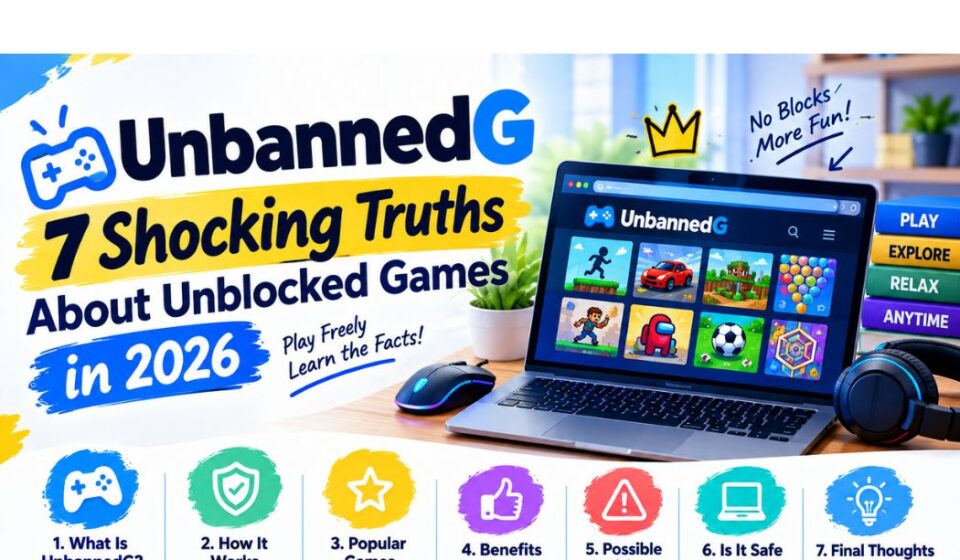
A typical UnbannedG hub features a simple homepage with a colorful banner and a grid of game thumbnails organized by genre: Action, Puzzle, Racing, Multiplayer, and sometimes Educational. Navigation is minimal. There is rarely a meaningful “About” page or privacy policy. The feel is functional but bare-bones—these are quick-access portals, not polished commercial platforms.
Popular games include Moto X3M, 1v1.lol, Slope, Run 3, and various idle clicker games. They are light, casual, and designed for short bursts of play—perfect for a ten-minute break between classes.
Why the UnbannedG Trend Won’t Die
The persistence of UnbannedG reveals a fundamental tension in how institutions manage internet access.
The Demand Side
Students on restricted networks want quick, accessible entertainment. School-issued Chromebooks are locked down with managed profiles, restricted installations, and aggressive filtering. For a student with ten minutes between classes, finding a game that actually loads is the entire goal. These hubs deliver that with zero friction.
The Supply Side
Running a game hub requires minimal technical skill. Google Sites provides free hosting. HTML5 games are widely available through open-source repositories and embeddable APIs. Domain registration costs a few dollars. The barrier to entry is nearly zero.
The Structural Gap
Most schools use network-level content filters required under laws like the Children’s Internet Protection Act (CIPA) in the United States, which mandates filtering of obscene material and often extends to blocking gaming and social media entirely. But these filters operate on blocklists—they can only block what they know about. New domains take time to identify and categorize. The lag between a site going live and getting blocked is the window UnbannedG hubs exploit.
The Real Risks: What Most Articles Won’t Tell You
UnbannedG sites are not inherently safe. While many are harmless collections of embedded games, the ecosystem has a darker side that users—and parents—need to understand.
1. Malware and Fake Download Buttons
Some sites mimic the look and name of legitimate UnbannedG hubs but serve malware, fake download buttons, or phishing redirects. A single click on the wrong “Play Now” button can install unwanted software or redirect to a credential-harvesting page.
Browser extensions promising “Unblocked Games G+” have been particularly problematic. One Chrome extension with this name received reviews claiming it “installed malware all over my PC”.
2. Hidden Tracking Scripts and Unnecessary Permissions
Even legitimate-looking hubs often run hidden tracking scripts that collect browsing data, device fingerprints, and usage patterns. Some request browser permissions that are unnecessary for gameplay, such as access to notifications, clipboard, or location data.
3. Phishing and Credential Theft
Because these sites often target students who use school-issued Google accounts, phishing attacks are a real concern. A fake login prompt—designed to look like a Google sign-in page—can trick users into entering their credentials, compromising their entire school account.
4. Inappropriate Content and Interactions
The lack of moderation on many hubs means game libraries can include titles with violent, suggestive, or otherwise inappropriate content. Some multiplayer games allow chat features that connect users to strangers without any age verification or parental controls.
5. Network Policy Violations
Using UnbannedG sites on school or workplace networks typically violates acceptable use policies. Consequences can range from a warning to device confiscation, loss of network privileges, or disciplinary action.
Practical Tips for Safer Play
If you’re going to explore UnbannedG sites—whether as a student, a curious adult, or a parent supervising a child—here are actionable steps to reduce risk.
For Users
-
Stick to HTTPS-encrypted URLs. Look for the padlock icon in your browser’s address bar. Avoid any site that loads over plain HTTP.
-
Never download files. UnbannedG games should run entirely in the browser. If a site prompts you to download an installer, an extension, or a “required plugin,” close the tab immediately.
-
Use a separate browser profile. If you must play on a shared device, create a guest or secondary browser profile that isn’t logged into your primary Google account.
-
Avoid logging in. Never enter your Google, school, or personal credentials on an UnbannedG site. Legitimate game hubs don’t require sign-in.
-
Check the URL carefully. Fake sites often use slightly misspelled domains to mimic popular hubs. If something feels off, trust your instinct.
For Parents and Educators
-
Understand the trend before banning it. Outright prohibition often drives the behavior underground. A conversation about why certain sites are risky is more effective than a blanket ban.
-
Monitor browser history for patterns. Look for a rotating cast of similar domain names rather than a single blocked site. This indicates UnbannedG-style hubs.
-
Enable DNS-level filtering at home. Tools like OpenDNS or NextDNS can block categories of sites (gaming, malware, phishing) across all devices on your home network.
-
Teach digital literacy, not just compliance. Help students understand how to evaluate a website’s trustworthiness, recognize phishing attempts, and protect their personal data.
-
Advocate for better school policies. The cat-and-mouse game is unwinnable through blocking alone. Schools that provide structured, supervised access to educational games during free time reduce the demand for unblocked hubs.
Common Mistakes and How to Avoid Them
| Mistake | Why It’s Risky | Solution |
|---|---|---|
| Downloading “Unblocked Games G+” browser extensions | Extensions have been linked to malware and data theft | Play games directly in the browser; avoid extensions |
| Using the same password across school and personal accounts | A single phishing success compromises everything | Use unique passwords and a password manager |
| Ignoring browser security warnings | Warnings often indicate expired certificates or known malicious sites | Never bypass a security warning to play a game |
| Clicking “Allow” on notification prompts | Opens the door to spam, scams, and unwanted push notifications | Deny all permission requests on game sites |
| Assuming “Google Sites” hosting means it’s safe | Anyone can create a Google Site; hosting says nothing about content safety | Evaluate the site’s reputation and behavior, not just its domain |
Pros, Cons, and Balanced Analysis
The Case For UnbannedG
-
Accessibility: Provides entertainment on locked-down devices with no installation or admin rights required.
-
Low bandwidth: HTML5 games are lightweight and load quickly even on slow school networks.
-
Zero cost: Most hubs are free and ad-supported (though ad quality varies).
-
Skill development: Some games—particularly puzzle and strategy titles—offer genuine cognitive benefits.
The Case Against
-
Security risks: Malware, phishing, and tracking are real and documented threats.
-
Policy violations: Using these sites on managed networks typically breaches acceptable use agreements.
-
Lack of accountability: Most hubs have no privacy policy, no contact information, and no moderation.
-
Distraction: The ease of access can undermine classroom focus and productivity.
-
Ephemeral nature: Sites disappear without warning, often taking saved progress or accounts with them.
The Balanced Verdict
UnbannedG is a symptom, not a solution. It exists because institutional filtering creates a gap between what networks restrict and what users want. The sites themselves range from harmless to hazardous, and the user’s risk profile depends heavily on their behavior. A student who plays a single HTML5 game on a reputable hub faces minimal risk. A user who downloads extensions, enters credentials, or clicks aggressive ads faces significant danger.
Future Trends: Where Is This Heading?
1. AI-Generated Game Hubs
As of 2026, generative AI tools can produce functional HTML5 games from simple prompts. This lowers the barrier to entry even further. Expect to see a proliferation of AI-generated game hubs, some legitimate, others purely malicious.
2. Smarter Filters
Network filtering technology is becoming more sophisticated. Some systems now use behavioral analysis—detecting patterns of access rather than relying solely on domain blocklists. This may reduce the window of opportunity for UnbannedG hubs, but it will also push operators toward more evasive techniques.
3. The Rise of “Unblocked” Apps
As browser-based filtering improves, some operators are pivoting to standalone apps distributed through unofficial channels. This shifts the risk profile from browser-based threats to APK sideloading and compromised app stores.
4. Regulatory Attention
As concerns about student data privacy grow, regulators may begin scrutinizing the unblocked-gaming ecosystem more closely. The Children’s Online Privacy Protection Act (COPPA) and similar laws in other jurisdictions could be applied to sites that knowingly collect data from minors without consent.
5. The Eternal Cat-and-Mouse Game
The fundamental dynamic is unlikely to change. As long as there is demand for entertainment on restricted networks, there will be supply. The names will change—from “Unblocked Games 66” to “Unbanned G+” to whatever comes next—but the underlying tension remains.
Conclusion: Key Takeaways
-
UnbannedG is a category, not a product. It refers to a loose network of browser-based gaming hubs that use naming conventions and hosting loopholes to evade content filters.
-
The “G+” does not mean Google+. It likely references Google Sites, which schools cannot block without breaking legitimate educational tools.
-
The ecosystem is constantly shifting. Sites appear, get blocked, and reappear under new names. There is no single stable URL.
-
Risks are real but manageable. Malware, phishing, and tracking are documented threats. Safe practices—no downloads, no logins, HTTPS only—significantly reduce exposure.
-
The trend reveals a deeper issue. Content filtering alone cannot solve the demand for accessible entertainment on managed networks. Better digital literacy and structured access policies are more effective long-term solutions.
-
Don’t confuse UnbannedG with Unbanned.gg. The latter is a separate account-recovery service with its own trust concerns.
-
Parents and educators should engage, not just block. Understanding the trend is the first step toward guiding young users toward safer digital habits.
Frequently Asked Questions (FAQs)
Is UnbannedG legal?
Accessing UnbannedG sites is generally not illegal for the user. However, using them on school or workplace networks typically violates acceptable use policies, which can result in disciplinary action. The sites themselves operate in a legal gray area.
Can UnbannedG sites give my device a virus?
Yes. Some sites distribute malware through fake download buttons, malicious ads, or compromised embedded content. Sticking to browser-based gameplay without downloads reduces—but does not eliminate—the risk.
Why does “G+” appear in so many of these site names?
The “G+” likely references Google Sites, which is commonly used to host these hubs because schools cannot easily block the domain. It has nothing to do with the discontinued Google+ social network.
What should I do if I accidentally entered my password on an UnbannedG site?
Change your password immediately on the legitimate platform. Enable two-factor authentication if you haven’t already. If it was a school account, notify your IT department.
Are there safe alternatives to UnbannedG?
Yes. Many legitimate gaming websites offer free browser-based games without the security risks. Examples include Poki, CrazyGames, and Coolmath Games (though these may also be blocked on some networks). The key difference is accountability: legitimate platforms have privacy policies, moderation, and clear ownership.
How can I tell if an UnbannedG site is trustworthy?
There is no perfect test, but warning signs include: aggressive pop-ups, prompts to download files or extensions, requests for login credentials, missing HTTPS, and no contact or about information. If any of these are present, leave the site.
Sources
-
Software Curio. (2026). “Unbanned G+: The Free Gaming Trend Schools Can’t Block.” softwarecurio.com.
-
Rank Magazine. (2026). “Unbanned G: What It Is, How It Works, And What To Know Before You Click.” rankmagazine.co.uk.
-
Smart Postly. (2026). “Unbanned G+ in 2026: What It Really Is and Why Everyone’s Talking About It.” smartpostly.com.
-
Bleepost. (2025). “Unbannedg+: Why People Use It and How It Works.” bleepost.com.
-
Gridinsoft. (2026). “Unbanned.gg Reviews: Scam or Safe?” gridinsoft.com.
-
PureVPN. (2026). “How to Safely Play Unblocked Games G+ at School or Work.” purevpn.com.
-
FlashGet Parental Control. (2025). “Unblocked Games G+ Guide: Risks, Fun Games, and Safe Play.” parental-control.flashget.com.
-
The Globe and Mail (Mexico). (2026). “Unbanned G+ – Everything You Need to Know 2026.” theglobeandmail.com.mx.
-
ScamAdviser. (2023). “unbanned.gg Reviews.” scamadviser.com.
-
Google Support. (2026). “Account Suspension Appeal Process.” support.google.com.